
JAR
22 Numbers Available

IVI
100 Numbers Available

1K Kirana
1000 Numbers Available

SportMaster
110 Numbers Available

CashFly
100 Numbers Available

Vkusvill
100 Numbers Available

Beget.com
100 Numbers Available

Samsung Shop
100 Numbers Available

Uwin
100 Numbers Available

Ininal
100 Numbers Available

Hotmail
100 Numbers Available

BIGC
861 Numbers Available

Lybrate
1000 Numbers Available

Mobile.bg
100 Numbers Available

Whoosh
101 Numbers Available

Astropay
100 Numbers Available

Paxful
110 Numbers Available

AliPay
558 Numbers Available

Sisal
66 Numbers Available

Sbermarket
1 Numbers Available

Stormgain
100 Numbers Available

Dubizzle
100 Numbers Available

Gemini.com
2 Numbers Available
Albania
Search Country For Albania
1698 purchasable products across 23 services
How It Works
Pick a service and country, add balance with card or crypto, then buy a one-time virtual number. Your SMS and OTP codes appear in the app or on the web as soon as they arrive, no contract and no real phone number required.
HidSim; Privacy-First Communication
Use disposable numbers so you never have to hand your personal line to every app or marketplace. We focus on fast delivery, clear refunds when a code doesn’t arrive, and keeping verification simple.
Instant Delivery
Secure & Anonymous
Crypto Accepted
Only Pay for Received Codes
FAQ
Quick answers about buying numbers, receiving codes, refunds, and how long activations stay open.
How can I get a virtual number?
You can top up your balance using cryptocurrency or Visa cards. Additionally, you can install our app from the App Store or Google Play and purchase coin packages directly within the app. Once topped up, select the service and country you want, then purchase virtual numbers with your coins.
What happens if I don't receive Code?
If you don’t receive a code on your number, there could be multiple reasons, such as network issues or the sending service’s delay. In this case, you can cancel the activation and retry with a new number; the funds will be automatically refunded to your balance. Using a VPN or proxy from the country of the number might help improve delivery success.
How long are the numbers available for me?
When you purchase a number, you hold it for about 15 to 20 minutes, depending on its supplier; the number's card counts down the time left. During this period, enter the number into the desired service. HidSim will monitor for the incoming code and display it on the number's card in My Numbers. Once the code arrives, the order is complete. Some numbers can receive another code before their time runs out: their card then shows Request another code.
Why was my number blocked by a service?
Your number may be blocked due to usage patterns, IP address issues, or being flagged as robotic. To avoid this, use a realistic name and profile picture, engage in genuine conversations, avoid acquiring numbers too quickly, and consider using a VPN that matches the service’s country.
Why can't I receive a code in Telegram services?
For your first login in Telegram, avoid using laptops or tablets. Use a mobile phone to create your account initially. After your first Sign-up is completed, you can move your account to any other devices you prefer.
Can I receive a code for a number more than once?
Often, yes. When the number's supplier allows another SMS on it, the number's card in My Numbers shows Request another code once the first code has arrived, until the number's time runs out. It is free: tap it, then ask the service to send its code again. The number waits up to 10 more minutes, and the new code appears on the same card. If the button is not there, this number cannot receive another code, and you need a new number. A number that has received a code is not refunded, even if no second code arrives.
What should I do if SMS codes are not arriving in my region or provider?
If you have tried several times and no SMS verification code arrives, press Refund on the number's card once it unlocks (5 minutes after you buy the number), or let it expire and it is refunded automatically, then try a new number; if codes still do not arrive, choose another country. Delivery can be affected by the sending service, regional routing, carrier/provider restrictions, or temporary network delays. If the problem continues, create a support ticket and include the service name, the country, the number you bought and the approximate time you tried so our team can check the issue.
How do I pay using Telegram Stars?
Purchasing credits through Telegram is a simple two-step process:
Step 1: Create the order on HidSim
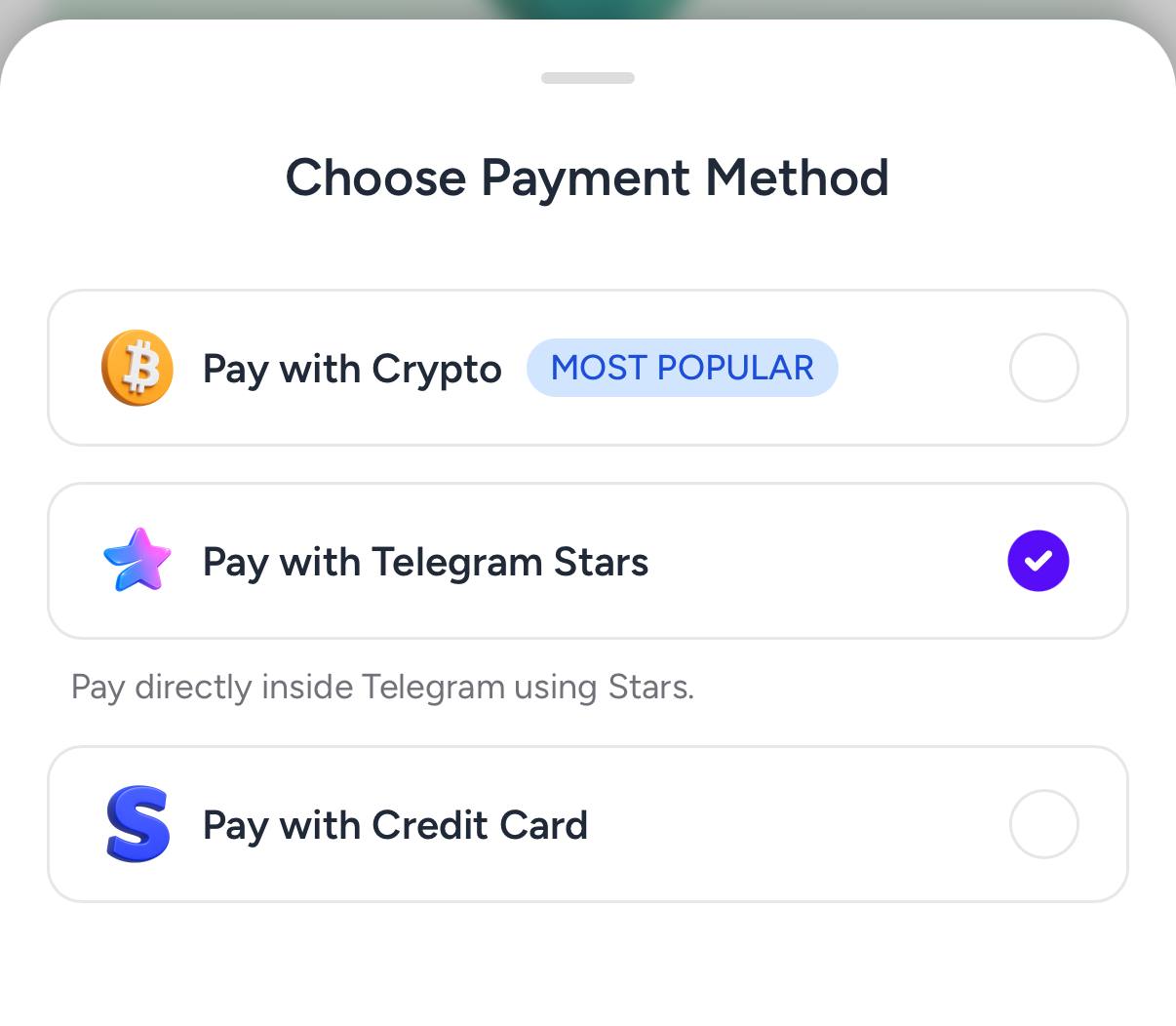
Open the purchase page, choose your package, and select Pay with Telegram Stars. This generates a Telegram invoice link for your order.
 Step 2: Buy Stars in Telegram
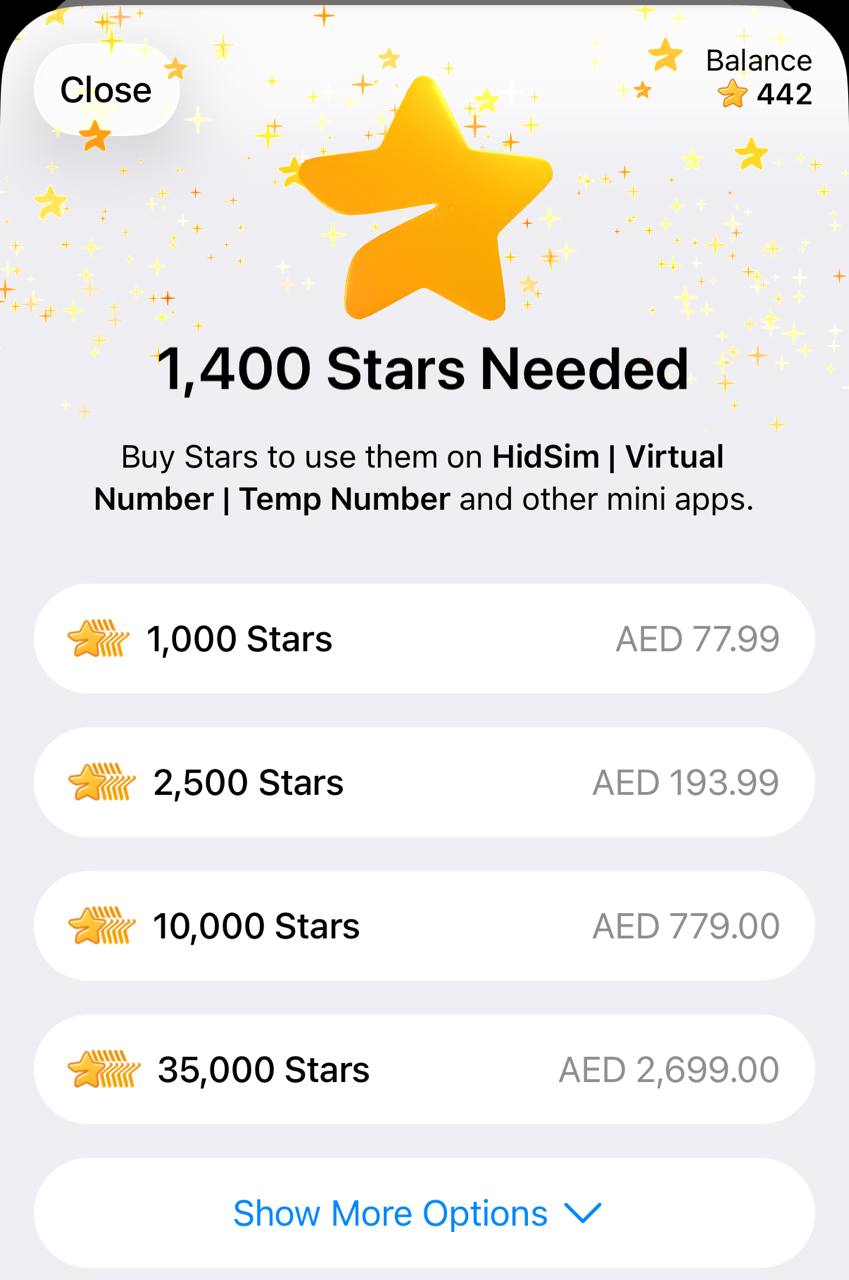
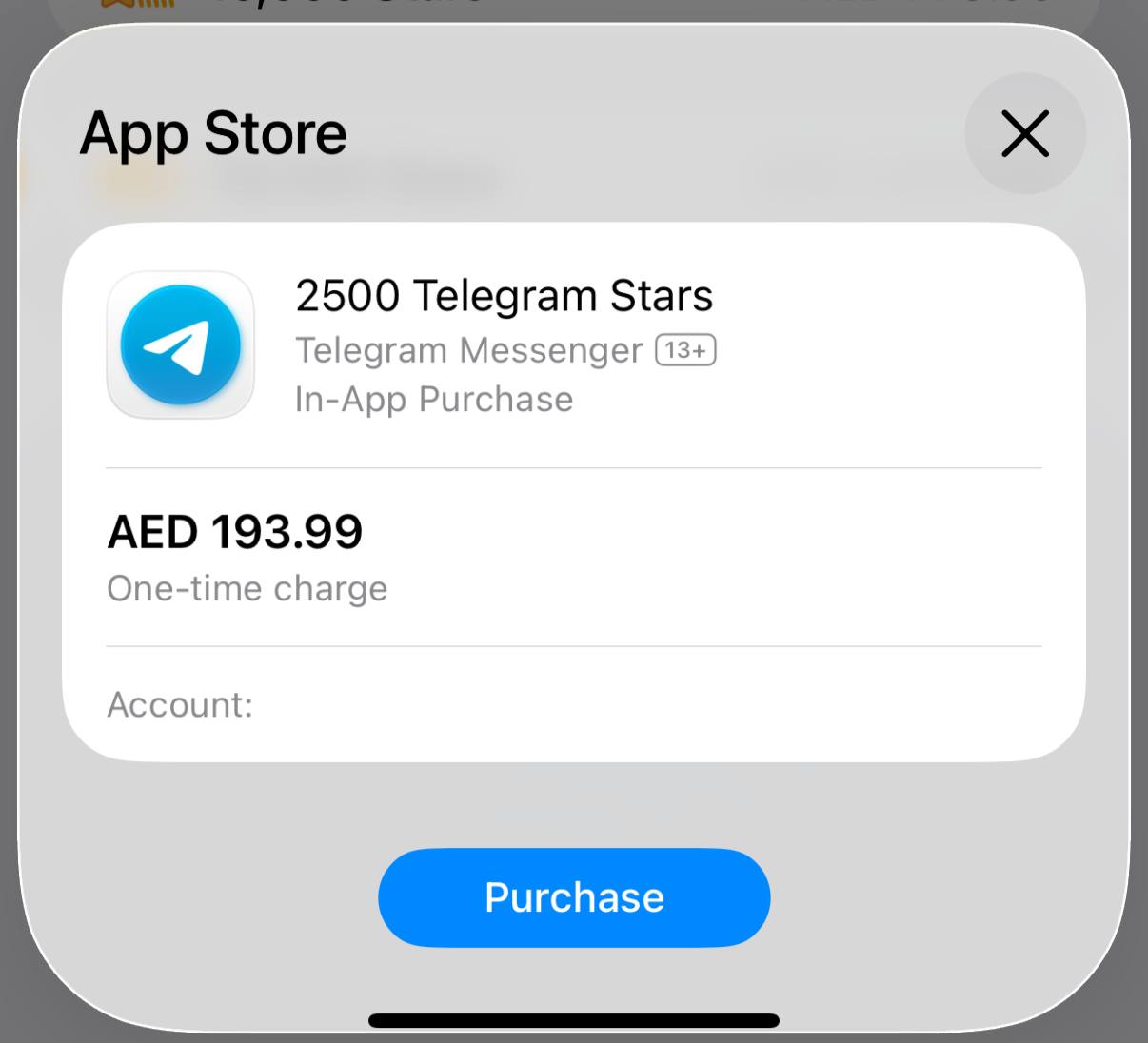
In Telegram, buy the required Stars using your preferred payment method. If you already have enough Stars, you can skip this step.
 Step 3: Pay our bot with Stars
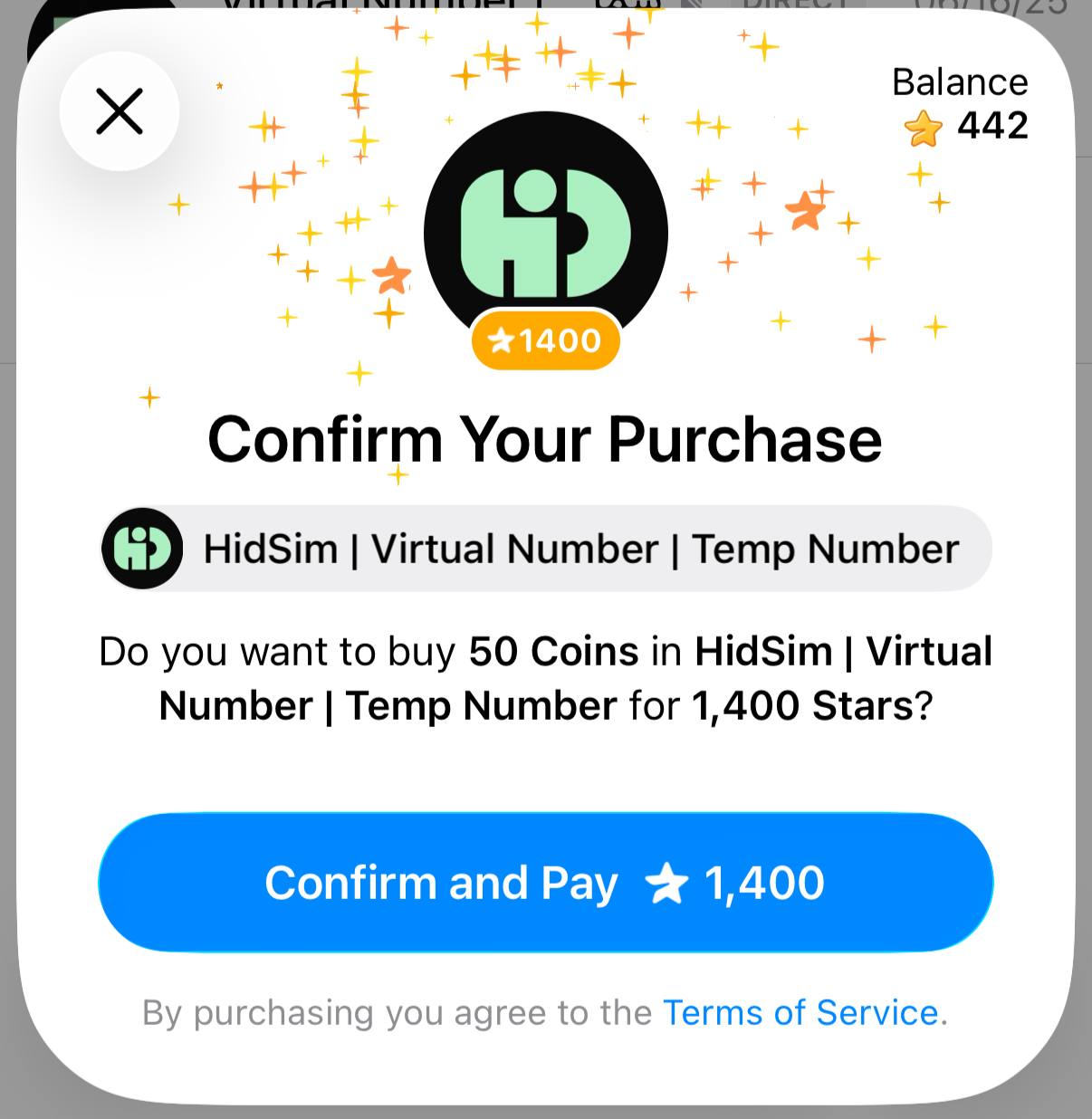
Return to the invoice and confirm payment. This step is required to finalize the order and credit your HidSim balance.
Tips
This payment method does not auto-renew. If credits still do not appear, please contact support by email.
- You purchase Stars via the official @PremiumBot in Telegram using your card (or Google Pay, Apple Pay, or other supported methods).
- You use those Stars to pay our bot and complete the HidSim credit purchase.
Step 1: Create the order on HidSim
Open the purchase page, choose your package, and select Pay with Telegram Stars. This generates a Telegram invoice link for your order.
In Telegram, buy the required Stars using your preferred payment method. If you already have enough Stars, you can skip this step.
Return to the invoice and confirm payment. This step is required to finalize the order and credit your HidSim balance.
- If your credits are not added, open Telegram settings and check My Stars to verify whether the Stars purchase completed and whether the Stars payment to our bot was confirmed.
- If card payment fails, try Apple Pay / Google Pay in the Telegram mobile app, or retry from Telegram Web.
- Telegram Stars purchases can appear more expensive than the base website price in some regions. This difference is caused by Telegram channel/payment fees (see Telegram's official Stars documentation), not an extra HidSim charge.
This payment method does not auto-renew. If credits still do not appear, please contact support by email.
Should I use a HidSim number for my Apple account verification?
HidSim numbers are temporary and intended for one-time SMS verification only. We do not recommend using them for permanent services such as Apple ID or other accounts you may need to access again later. If Apple asks for a phone number that will stay connected to your account, use a personal or long-term number from the correct country instead of a temporary HidSim number.
How should I choose the best number for OTP delivery?
Sort products by Quality High To Low first, and when you compare similar quality options, prefer Price High To Low. Very low-priced numbers can be more likely to come from overused or spam-flagged ranges, which may reduce the chance of receiving an OTP. If a code does not arrive, cancel the activation for a refund and try another higher-quality option.