仮想電話番号で
SMSをオンライン受信
ソーシャルネットワーク、マーケットプレイス、取引所、各種オンラインサービスで、スパムや個人情報の開示なしに登録。
HidSimを使い始める
さまざまなサイト・サービス・アプリでのプライベート登録に。
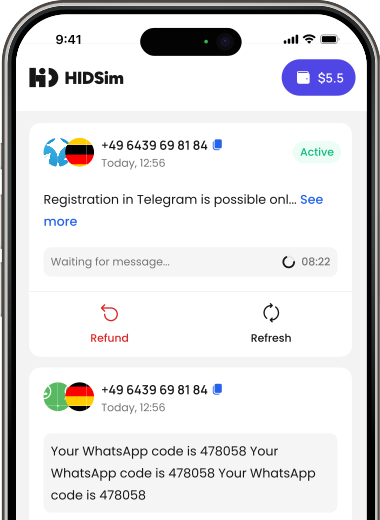
かんたん操作
わずか3ステップでSMSを受信して各種サービスに登録できます。
1
さまざまなサービスから簡単に選べます

WhatsApp

Telegram

Any other

Odnoklassniki

Yandeks
3
番号の準備ができました!この番号でコードを受信してください。

+1 (472) *** 3481
Your Telegram code is: 73940
+44 0203 *** 4377
Use 856 310 to verify your Instagram account.
+49 163 *** 9028
G-719408 is your Google verification code.
+62 822 *** 3283
Use 462 415 to verify your WhatsApp account.
サービスを選択
さまざまなサービスから簡単に選べます
WhatsApp
Telegram
Any other
Odnoklassniki
Yandeks
国を選択
さまざまな国から選んで番号を取得
Countries will load shortly.
コードを受信
番号の準備ができました!この番号でコードを受信してください。
+1 (472) *** 3481
Your Telegram code is: 73940
+44 0203 *** 4377
Use 856 310 to verify your Instagram account.
+49 163 *** 9028
G-719408 is your Google verification code.
+49 624 *** 2264
Your WhatsApp code: 953290
今すぐHidSimの仮想番号を試す!
ニーズに合わせたさまざまな電話番号とサービスを閲覧。簡単セレクションで安全性も向上。今すぐ始めましょう!
1
機密性と保護
ニーズに合わせたさまざまな電話番号とサービスを閲覧。簡単セレクションで安全性も向上。今すぐ始めましょう!
安全かつ匿名
あなたのプライバシーが最優先。高度なセキュリティで個人情報を常に保護します。
受信したコード分だけお支払い
受信したコード分のみお支払い。受信できなければ残高に返金されるので、本当に必要な分だけに費用を使えます。
24時間年中無休のサポート
お困りですか?カスタマーサポートが24時間いつでも最適な体験をお手伝いします。
開発者向けAPI
仮想番号をアプリやサービスにシームレスに統合。堅牢なAPIでSMS認証を迅速かつ安全に。
APIドキュメントを見るEasy Integration
Quick-start documentation, code examples, and SDKs help you integrate effortlessly.
Real-Time SMS
Receive SMS instantly via webhooks and manage numbers programmatically.
Secure & Reliable
Robust security ensures reliable performance for every verification request.
Detailed Analytics
Track API usage and SMS delivery status with comprehensive analytics.


FAQ
How can I get a virtual number?
You can top up your balance using cryptocurrency or Visa cards. Additionally, you can install our app from the App Store or Google Play and purchase coin packages directly within the app. Once topped up, select the service and country you want, then purchase virtual numbers with your coins.
What happens if I don't receive Code?
If you don’t receive a code on your number, there could be multiple reasons, such as network issues or the sending service’s delay. In this case, you can cancel the activation and retry with a new number; the funds will be automatically refunded to your balance. Using a VPN or proxy from the country of the number might help improve delivery success.
How long are the numbers available for me?
When you purchase a number, it is available for one-time use, and you own it for 15 minutes. During this period, enter the number into the desired service. HidSim will monitor for the incoming code and display it in the activations tab inside our app. Once the code is received, the number is no longer active.
Why was my number blocked by a service?
Your number may be blocked due to usage patterns, IP address issues, or being flagged as robotic. To avoid this, use a realistic name and profile picture, engage in genuine conversations, avoid acquiring numbers too quickly, and consider using a VPN that matches the service’s country.
Why can't I receive a code in Telegram services?
For your first login in Telegram, avoid using laptops or tablets. Use a mobile phone to create your account initially. After your first Sign-up is completed, you can move your account to any other devices you prefer.
Can I receive a code for a number more than once?
No, it is not possible to receive a code for the same number more than once. Each virtual number is for one-time use only, and after receiving the code, it becomes inactive.
What should I do if SMS codes are not arriving in my region or provider?
If you have tried several times and no SMS verification code arrives, cancel the current activation so your balance can be refunded, then try a new number for the same service and country. Delivery can be affected by the sending service, regional routing, carrier/provider restrictions, or temporary network delays. If the problem continues, create a support ticket and include the service name, country, provider or region, activation ID, and the approximate time you tried so our team can check the issue.
How do I pay using Telegram Stars?
Purchasing credits through Telegram is a simple two-step process:
Step 1: Create the order on HidSim
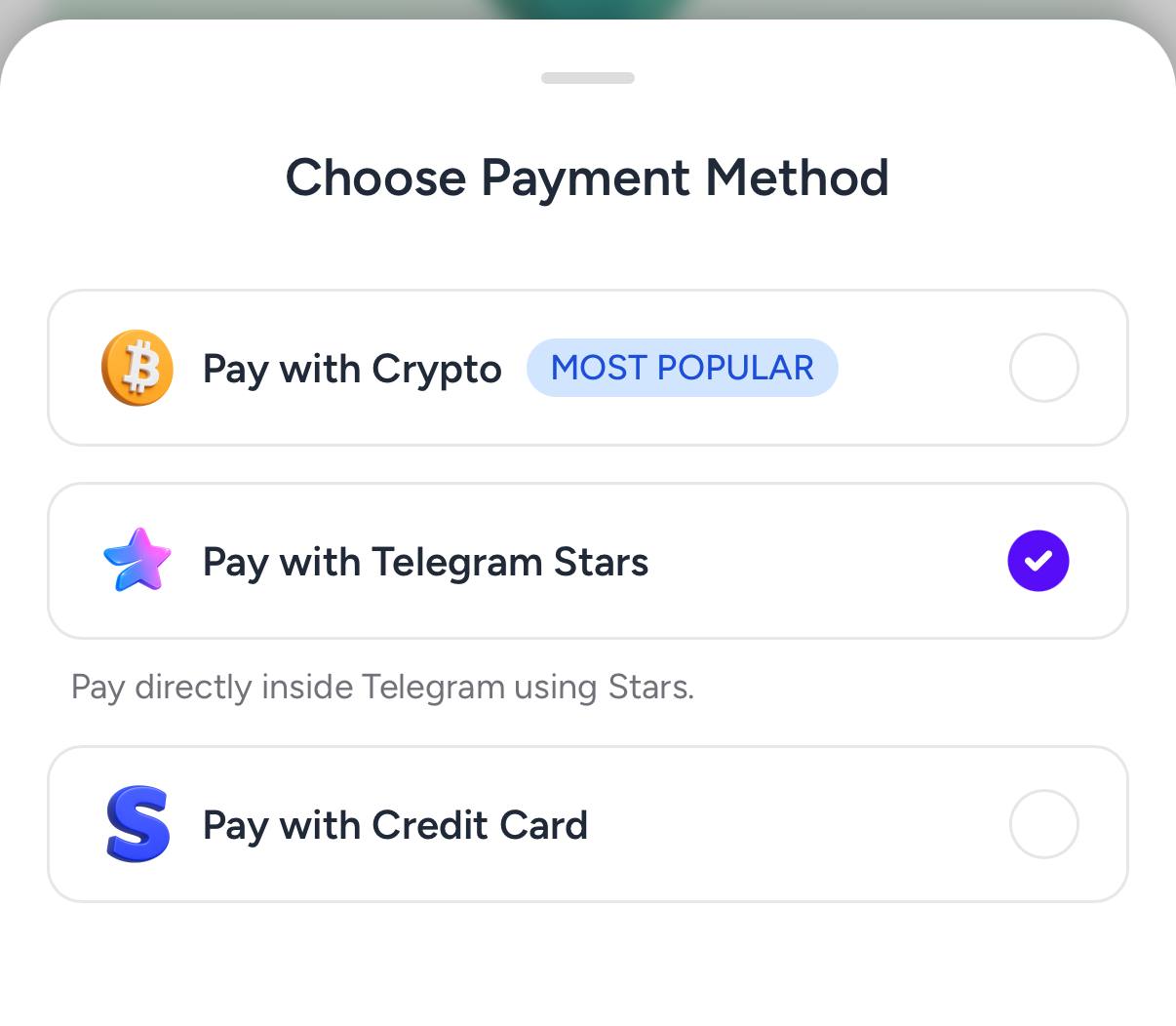
Open the purchase page, choose your package, and select Pay with Telegram Stars. This generates a Telegram invoice link for your order.
 Step 2: Buy Stars in Telegram
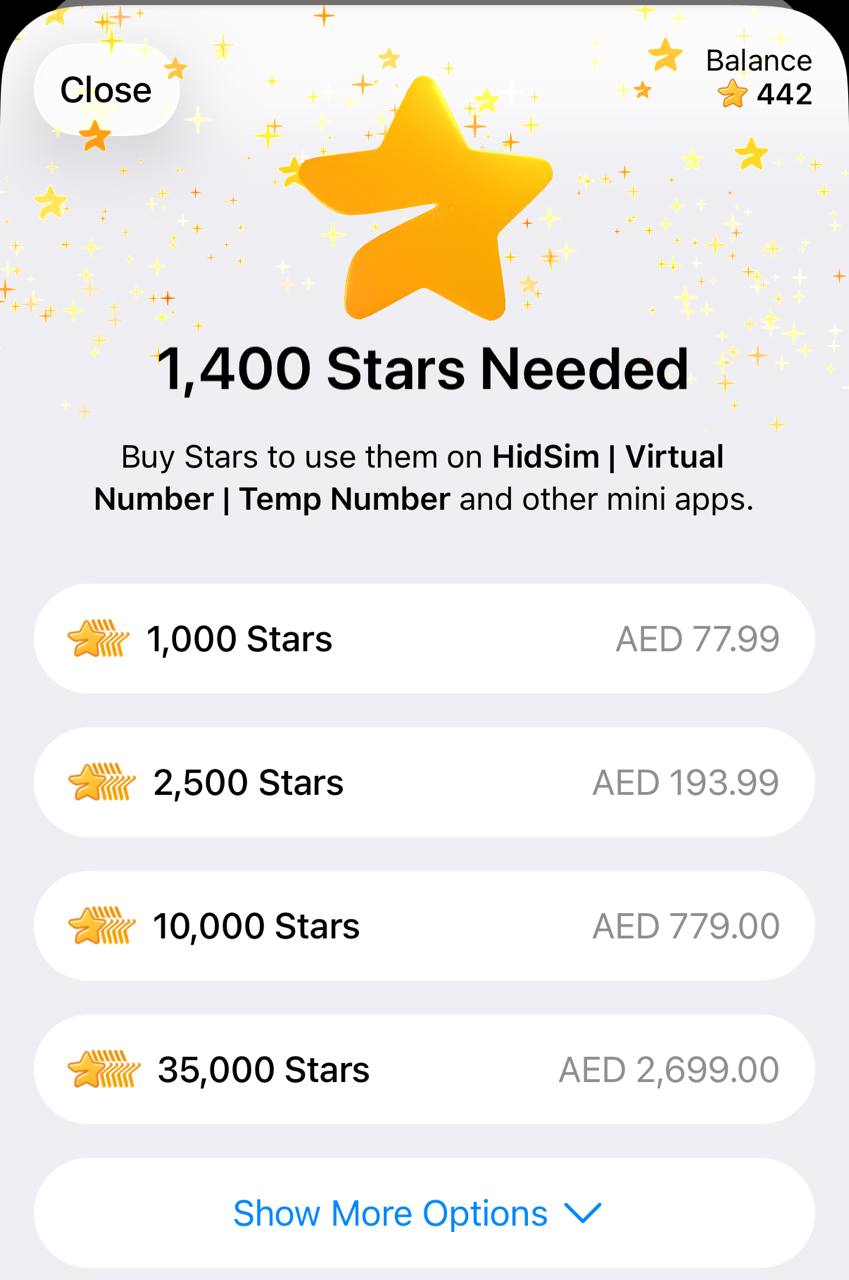
In Telegram, buy the required Stars using your preferred payment method. If you already have enough Stars, you can skip this step.
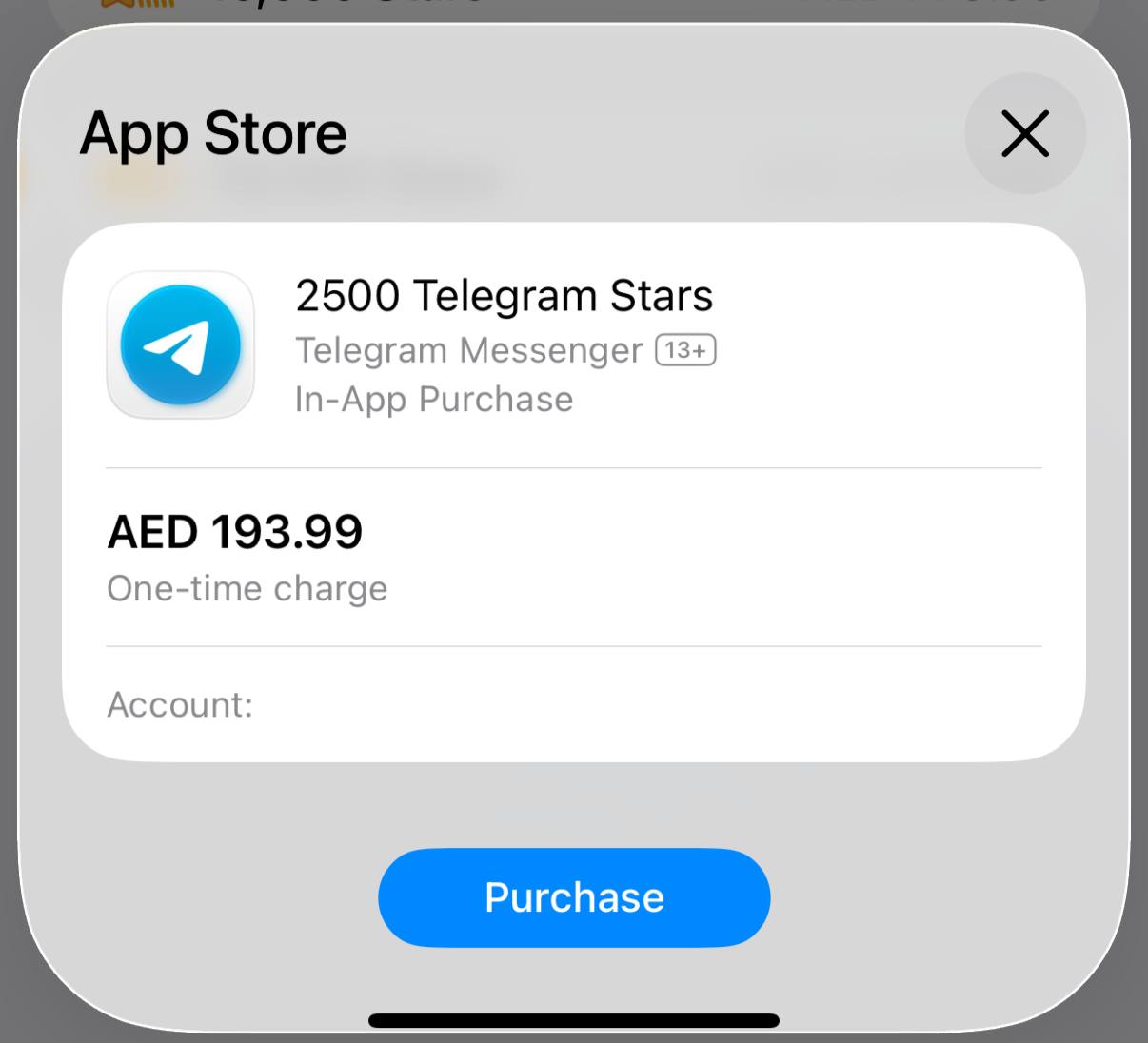 Step 3: Pay our bot with Stars
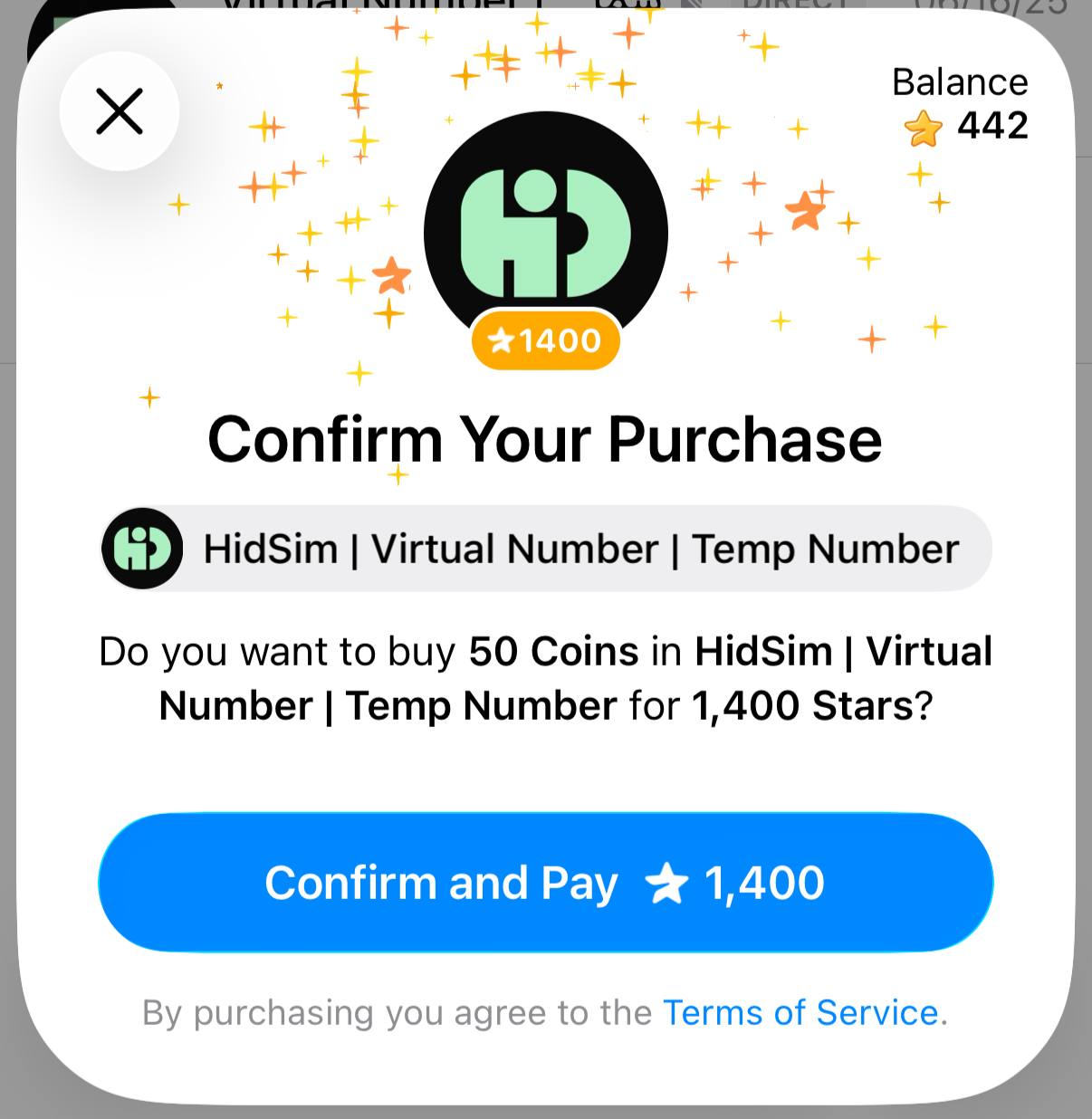
Return to the invoice and confirm payment. This step is required to finalize the order and credit your HidSim balance.
Tips
This payment method does not auto-renew. If credits still do not appear, please contact support by email.
- You purchase Stars via the official @PremiumBot in Telegram using your card (or Google Pay, Apple Pay, or other supported methods).
- You use those Stars to pay our bot and complete the HidSim credit purchase.
Step 1: Create the order on HidSim
Open the purchase page, choose your package, and select Pay with Telegram Stars. This generates a Telegram invoice link for your order.
In Telegram, buy the required Stars using your preferred payment method. If you already have enough Stars, you can skip this step.
Return to the invoice and confirm payment. This step is required to finalize the order and credit your HidSim balance.
- If your credits are not added, open Telegram settings and check My Stars to verify whether the Stars purchase completed and whether the Stars payment to our bot was confirmed.
- If card payment fails, try Apple Pay / Google Pay in the Telegram mobile app, or retry from Telegram Web.
- Telegram Stars purchases can appear more expensive than the base website price in some regions. This difference is caused by Telegram channel/payment fees (see Telegram's official Stars documentation), not an extra HidSim charge.
This payment method does not auto-renew. If credits still do not appear, please contact support by email.
Should I use a HidSim number for my Apple account verification?
HidSim numbers are temporary and intended for one-time SMS verification only. We do not recommend using them for permanent services such as Apple ID or other accounts you may need to access again later. If Apple asks for a phone number that will stay connected to your account, use a personal or long-term number from the correct country instead of a temporary HidSim number.
How should I choose the best number for OTP delivery?
Sort products by Quality High To Low first, and when you compare similar quality options, prefer Price High To Low. Very low-priced numbers can be more likely to come from overused or spam-flagged ranges, which may reduce the chance of receiving an OTP. If a code does not arrive, cancel the activation for a refund and try another higher-quality option.
今すぐ始める
今日からHidSimを始めて、コミュニケーション体験を一新しましょう。直感的なプラットフォームでニーズを自在にコントロール。今すぐ参加して可能性を広げよう!




あなたに最適化された仮想番号の世界をHidSimで探索しよう
人気のウェブサイト、サービス、SNS、アプリに匿名で登録できるユニークで確実な番号を入手。
利用規約
プライバシーポリシー
APi for Developers
サポートに連絡
Blog
©2026 HidSim.com All rights reserved • [email protected]